
KAIGO PASS — Account & Data Deletion
How to Delete Your Account and Data
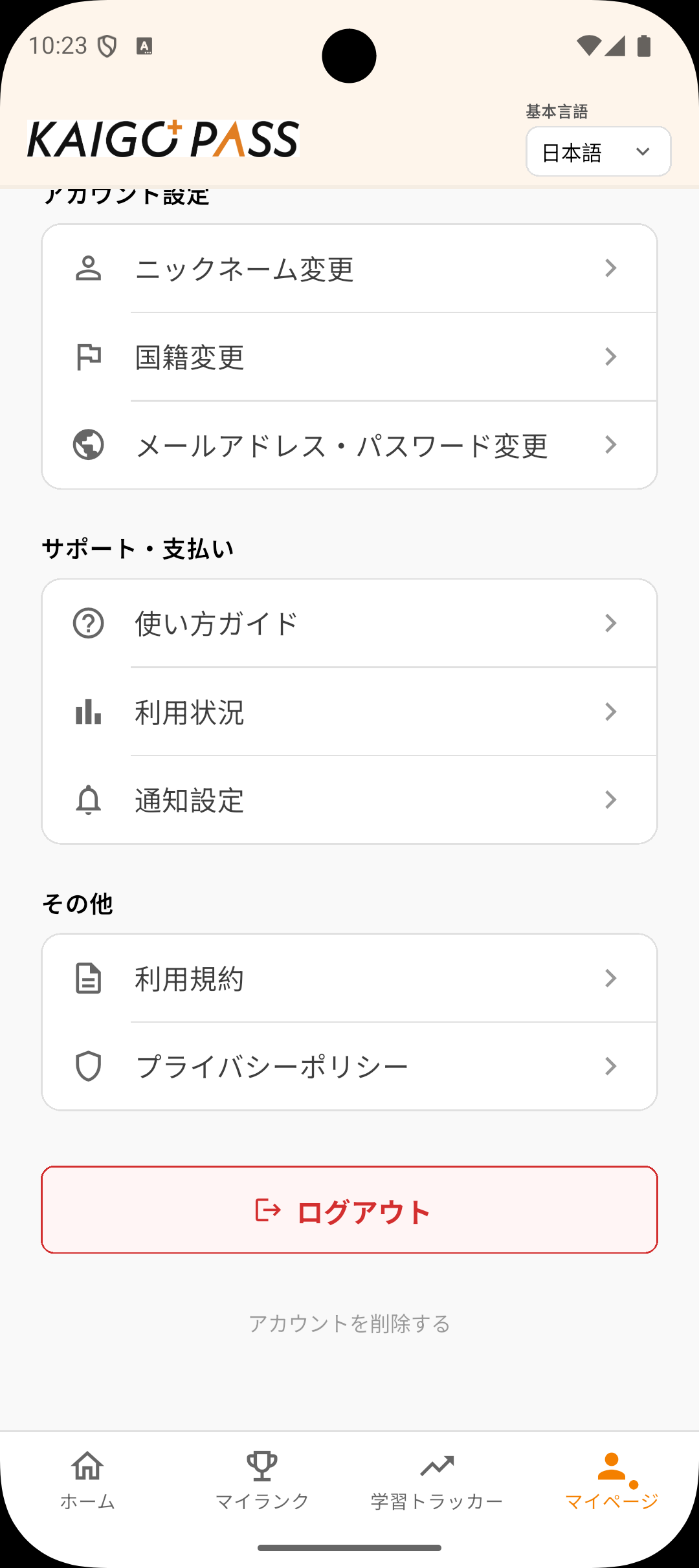
You can delete your account and all associated data directly within the KAIGO PASS app by following these steps: 1. Open the KAIGO PASS app and log in to your account. 2. Tap "マイページ" (My Page) in the bottom navigation bar. 3. Scroll to the bottom of the page and tap "アカウントを削除する" (Delete Account).
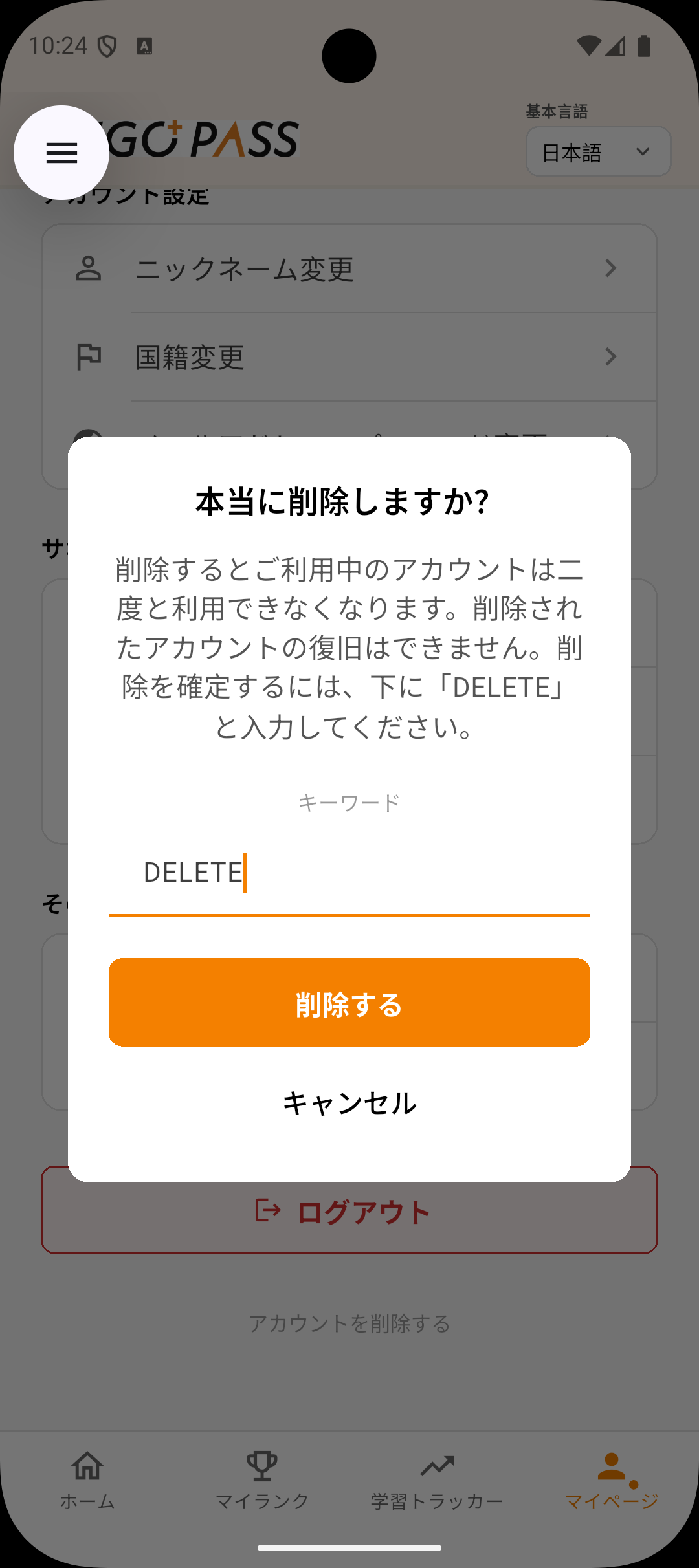
4. A confirmation dialog will appear. Type "DELETE" in the text field to confirm. 5. Tap the "削除する" (Delete) button.
What Data Is Deleted
When you delete your account, the following data is permanently removed: 1. Your user profile (nickname, language, nationality) 2. Quiz scores and learning progress 3. Answer history 4. Subscription and organization membership records 5. Your authentication account (email/Google sign-in) This action is irreversible. Your account and data cannot be recovered after deletion. Contact Us If you are unable to access the app and need to request account deletion, please contact us at: [email protected]